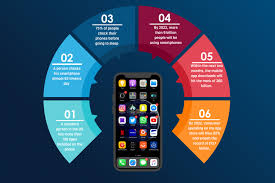

Mobile app development is an ever-growing field that plays a crucial role in today’s technology-driven world. With over 6 billion smartphone users worldwide, mobile apps have become an essential part of daily life, whether it’s for communication, entertainment, shopping, or productivity. This article will provide an in-depth look into the basics of mobile app development, including the different types of mobile apps, the development process, key programming languages and tools, and the skills needed to build successful mobile applications.
1. Understanding Mobile App Development
Mobile app development refers to the process of creating software applications that run on a mobile device, such as a smartphone or tablet. It involves various stages, including planning, designing, coding, testing, and launching the app. The end goal is to provide users with an intuitive, functional, and engaging experience.
There are three main categories of mobile apps:
- Native Apps: These are built specifically for one platform, such as Android or iOS, using the platform’s native programming language (Java or Kotlin for Android, Swift or Objective-C for iOS). Native apps are optimized for performance and user experience on their respective platforms.
- Hybrid Apps: Hybrid apps are developed using web technologies like HTML, CSS, and JavaScript. These apps are designed to work across multiple platforms (Android and iOS) and are packaged inside a native shell. Popular frameworks for hybrid app development include React Native, Flutter, and Xamarin.
- Web Apps: Web apps are essentially websites that are optimized for mobile devices. They do not require installation on a device, as they run in the mobile browser. They are responsive, meaning they adapt to different screen sizes and devices.
2. The Mobile App Development Process
The development of a mobile app typically involves several key stages:
1. Idea and Planning
The first step in the mobile app development process is to define the purpose of the app. This involves brainstorming ideas, conducting market research, and identifying the target audience. Developers also consider the app’s features, functionalities, and how it will provide value to the users.
In this stage, it’s essential to create a detailed roadmap of the project, including timelines, budget, and resources required. This ensures that both developers and stakeholders have a clear understanding of the project’s scope.
2. UI/UX Design
Once the concept is defined, the design phase begins. User Interface (UI) and User Experience (UX) design are crucial to the success of a mobile app. UI design focuses on the visual layout, while UX design ensures that the app is user-friendly, intuitive, and efficient.
Good UI/UX design can make or break an app. Designers use wireframes, prototypes, and mockups to visualize how the app will look and feel, ensuring it’s engaging and easy to use. They also consider platform-specific design guidelines, such as Material Design for Android and Human Interface Guidelines for iOS.
3. App Development
During the development phase, the app is coded and built. Developers choose the appropriate programming languages and frameworks based on the platform(s) the app will run on. For native apps, Android development uses Java or Kotlin, while iOS development relies on Swift or Objective-C. Hybrid apps use frameworks like React Native, Flutter, and Xamarin, which allow for cross-platform development.
App development also involves setting up databases, backend servers, APIs, and integrating third-party services like payment gateways or social media logins.
4. Testing
Testing is a critical step in the development process to ensure the app is free of bugs, works as intended, and provides a positive user experience. Testing can be divided into several types:
- Unit Testing: Testing individual components or functions of the app.
- Integration Testing: Testing the app’s interaction with other systems or databases.
- User Acceptance Testing (UAT): Ensuring that the app meets the user’s needs and expectations.
- Performance Testing: Testing the app’s performance, including speed, responsiveness, and load time.
- Beta Testing: Releasing the app to a small group of users for feedback and identifying issues that might have been missed.
5. Deployment and Launch
Once the app passes testing, it’s time to deploy it to app stores like Google Play or the Apple App Store. Each app store has its own submission guidelines, and apps must meet specific criteria to be accepted.
For Android apps, developers create a release build and upload it to Google Play. For iOS apps, developers use Xcode to upload the app to the App Store. Both platforms require app reviews before approval.
6. Post-Launch Updates and Maintenance
App development doesn’t end after the launch. Developers must monitor the app’s performance, gather user feedback, and release updates to fix bugs, improve performance, and add new features. Regular maintenance is essential to ensure that the app remains compatible with the latest OS versions and meets users’ evolving needs.
3. Key Tools and Technologies in Mobile App Development
A variety of tools and technologies are used in mobile app development, depending on whether the app is native, hybrid, or a web app.
Native App Development Tools
- Android Studio: The official integrated development environment (IDE) for Android app development. It provides tools for building, testing, and debugging Android apps.
- Xcode: The official IDE for iOS app development, used to build, test, and deploy apps to the Apple App Store.
- Swift and Objective-C: The primary programming languages for iOS development. Swift is modern, powerful, and easy to learn, while Objective-C is older but still widely used in legacy apps.
Hybrid App Development Tools
- React Native: A popular framework for building cross-platform apps using JavaScript and React. It allows developers to write one codebase that works on both Android and iOS.
- Flutter: A UI toolkit developed by Google for building natively compiled applications for mobile, web, and desktop from a single codebase.
- Xamarin: A framework for building cross-platform apps using C#. It’s widely used for enterprise-level apps.
Backend Technologies
- Node.js: A JavaScript runtime environment used for building scalable backend services for mobile apps.
- Firebase: A platform by Google that provides backend services like authentication, real-time databases, and cloud storage.
- AWS (Amazon Web Services): A cloud platform that offers scalable backend infrastructure for mobile apps.
Version Control and Collaboration Tools
- Git: A distributed version control system used for tracking changes in code and collaborating with other developers.
- GitHub: A platform for hosting Git repositories and collaborating with developers.
4. Essential Programming Languages for Mobile App Development
Depending on the platform and type of app, developers use various programming languages. Below are some of the most common languages used in mobile app development.
1. Java
Java has been the primary language for Android development for many years. It is object-oriented, widely supported, and has a large developer community. Despite the rise of Kotlin, Java is still a popular choice for building Android apps.
2. Kotlin
Kotlin is a modern, statically-typed language for Android development, designed to be fully interoperable with Java. It’s concise, expressive, and designed to eliminate many of the issues Java developers face, making it increasingly popular for Android apps.
3. Swift
Swift is a powerful, open-source language created by Apple for iOS and macOS development. It’s easy to learn and provides a high level of safety and performance, making it the go-to language for iOS apps.
4. JavaScript
JavaScript is primarily used for hybrid app development using frameworks like React Native. It’s also used in web development, allowing developers to create web apps that run on mobile devices.
5. Dart
Dart is the language used with Flutter, Google’s framework for building natively compiled mobile apps. It’s fast, modern, and works well with Flutter’s reactive UI model.
5. Skills Required for Mobile App Development
To become a proficient mobile app developer, certain skills and knowledge are required:
- Programming Languages: Familiarity with languages like Java, Kotlin, Swift, or JavaScript is essential.
- App Design Principles: Understanding UI/UX design principles ensures that the app is user-friendly and visually appealing.
- Problem-Solving Skills: Developers must be able to identify issues and come up with effective solutions.
- Attention to Detail: Mobile apps need to be polished, so developers should pay attention to every aspect of the app, from the code to the user interface.
- Familiarity with APIs and Databases: Integrating third-party services and managing data are common tasks in mobile app development.
6. Conclusion
Mobile app development is an exciting and dynamic field that requires a combination of creativity, technical skills, and an understanding of user behavior. Whether developing native, hybrid, or web apps, the process involves a series of stages designed to create functional, user-friendly, and engaging applications. By mastering the key tools, technologies, and programming languages, developers can create apps that meet the needs of their target audience and succeed in the competitive app marketplace.
As the mobile industry continues to grow, learning mobile app development offers valuable opportunities for developers and businesses alike. With constant advancements in technology and platforms, it’s essential for aspiring app developers to stay updated and adapt to new trends and tools in the field.